
Auto-Translate
Diffuser Required
What a diffuser is, why it's required, and how to easily get one
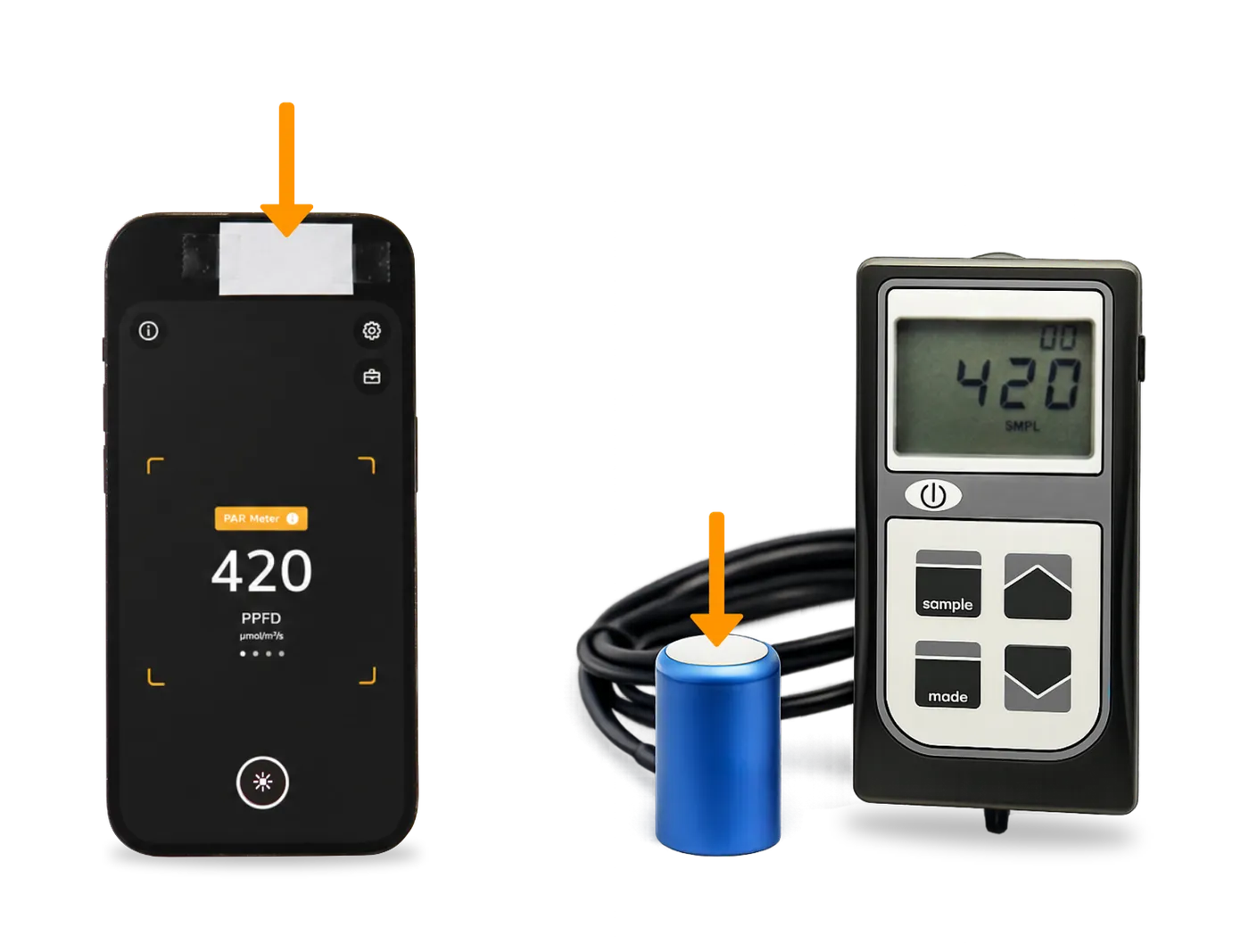
What a Diffuser Is
A diffuser is a translucent material that scatters incoming light and distributes it evenly. In light meters, a diffuser is placed over the sensor so that all parts of the sensor receive an equal amount of light.
Why You Need a Diffuser
Photone requires a diffuser for the same reason as any light meter. Without a diffuser, some parts of the sensor would be exposed to more light than others — these hotspots lead to inaccurate measurements. A diffuser can also function as a cosine corrector, allowing light to enter from all angles.
How to Get a Diffuser
Although the optical principle behind a diffuser may sound complex, the solution is simple. Photone supports two options:
1) Paper Diffuser
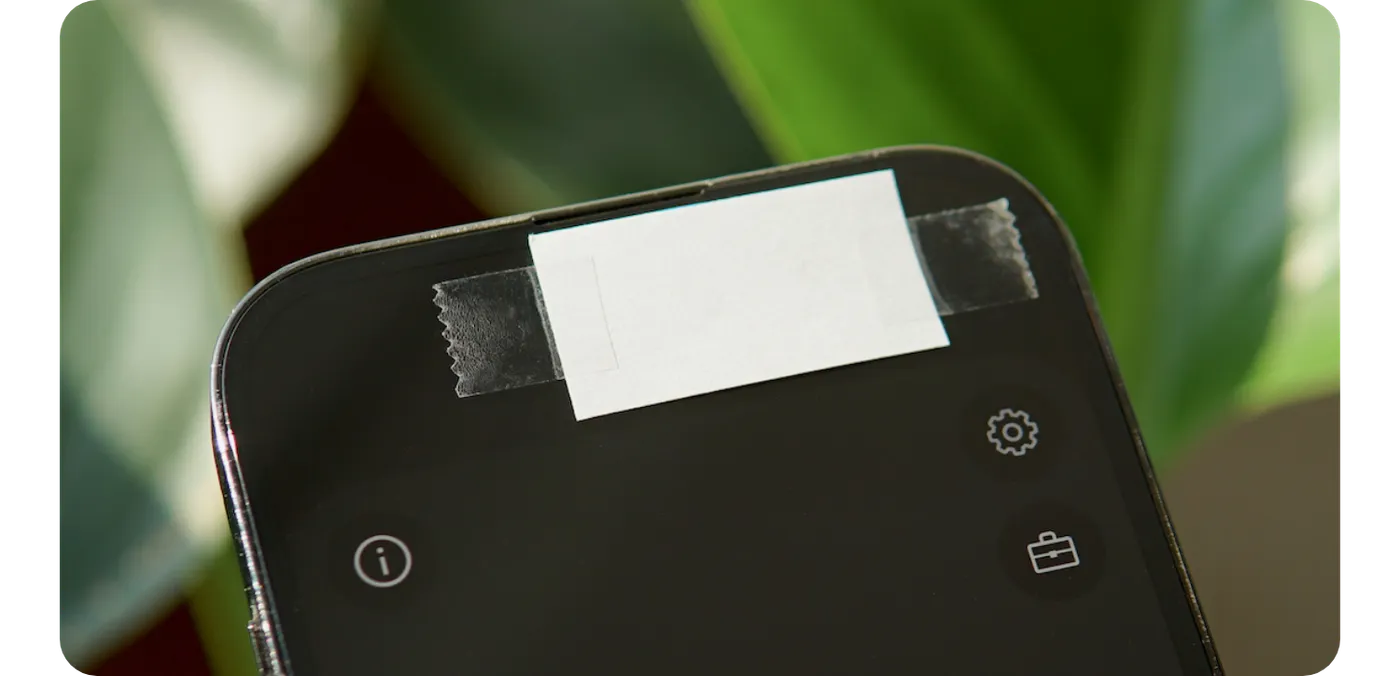
The quickest and most affordable solution is to build a diffuser yourself using a piece of paper. You can follow the instructions in the app or watch the video guide.
✅ Built in less than a minute
Simply place standard printer paper (80 gsm / 22 lb) over the camera and follow the instructions in the app.
✅ Easy to get started
Most people already have suitable paper at home, so you can start measuring immediately.
❌ Measurement uncertainty of ±12%
Different paper brands transmit slightly different amounts of light, which introduces measurement uncertainty.
❌ Cosine error of up to 10%
A paper diffuser improves the directional response of the sensor but does not provide perfect cosine correction.
❌ Limited reproducibility
Because paper has an irregular structure, small variations can occur each time the diffuser is applied.
2) Diffuser & Cosine Corrector Accessory
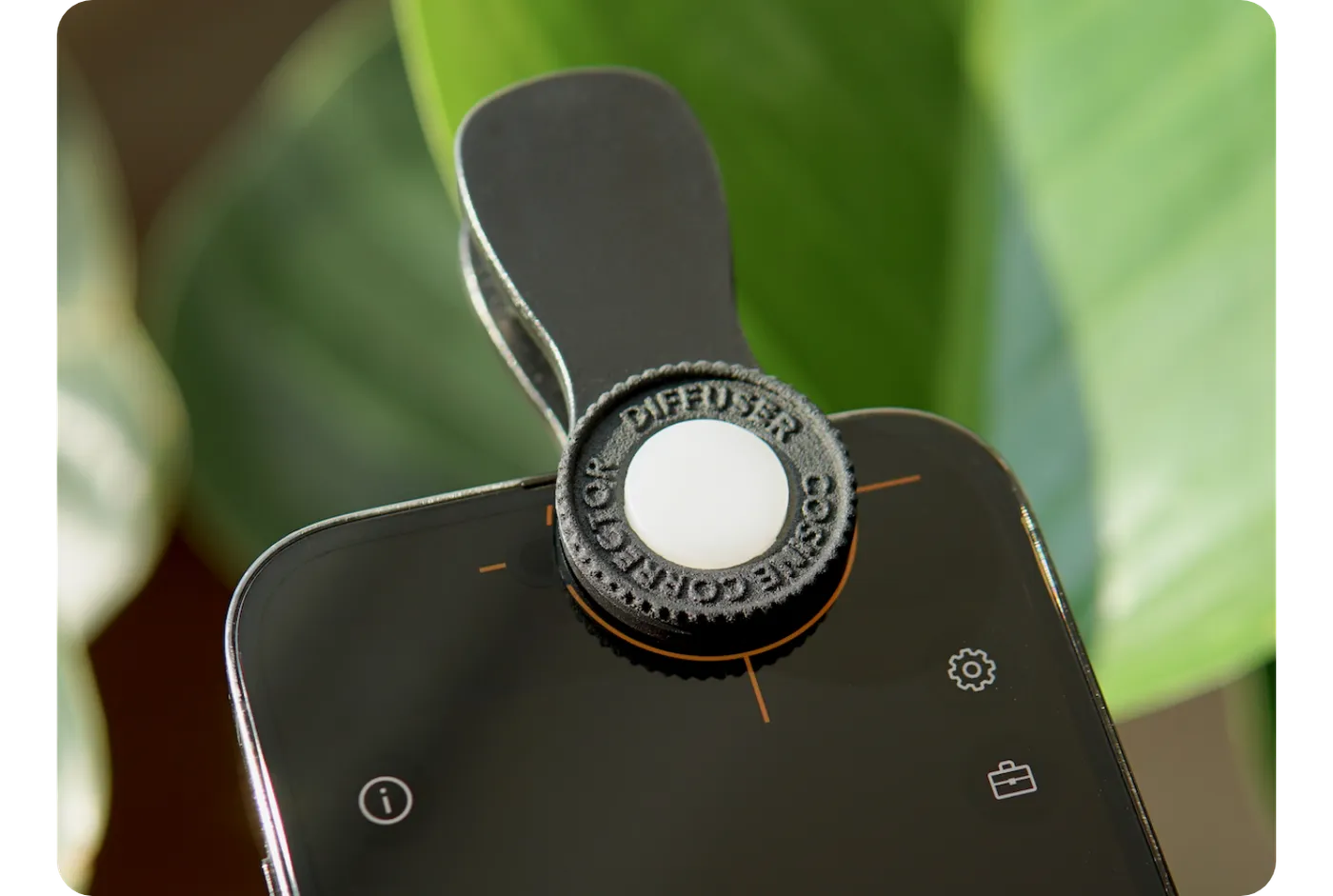
If you want the highest possible measurement accuracy, you can use the dedicated Diffuser & Cosine Corrector accessory. It is designed specifically for Photone and attaches easily to smartphones and tablets.
✅ Best-in-class measurement accuracy
Every accessory has precisely the same optical transmission. The transmission profile is stored in Photone's measurement algorithm, enabling highly accurate results.
✅ Excellent cosine correction
The accessory's optical design ensures a near-ideal directional response, allowing accurate measurements even when light enters from many different angles.
✅ Perfect reproducibility
The placement help feature allows the accessory to be removed and reattached while maintaining consistent measurement results.
✅ Premium quality
The accessory was developed and tested in a Swiss optics laboratory. Each unit is hand-assembled and undergoes strict quality control.
Which Option Is Best for Me?
If you want to start measuring quickly, a self-made paper diffuser is a simple and effective solution.
If you use Photone regularly and want the highest possible accuracy and consistency, the dedicated Diffuser & Cosine Corrector accessory is the better choice.
Diffuser Type Setting
Make sure the diffuser type setting in the app matches the diffuser you are currently using. This allows the measurement algorithm to adjust correctly for the optical properties of the diffuser.
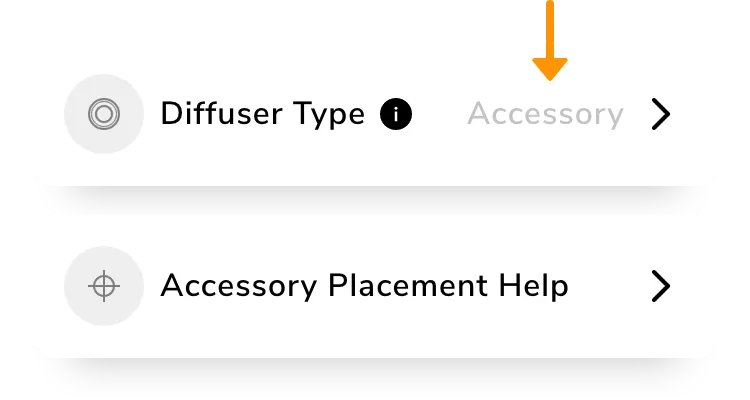
Warning: Using the wrong setting will skew the measurement by about +100% or −50% respectively.
Diffuser Detection
Photone automatically detects a diffuser when placed over the front camera. As soon as the diffuser is detected, the (!)-warning disappears.
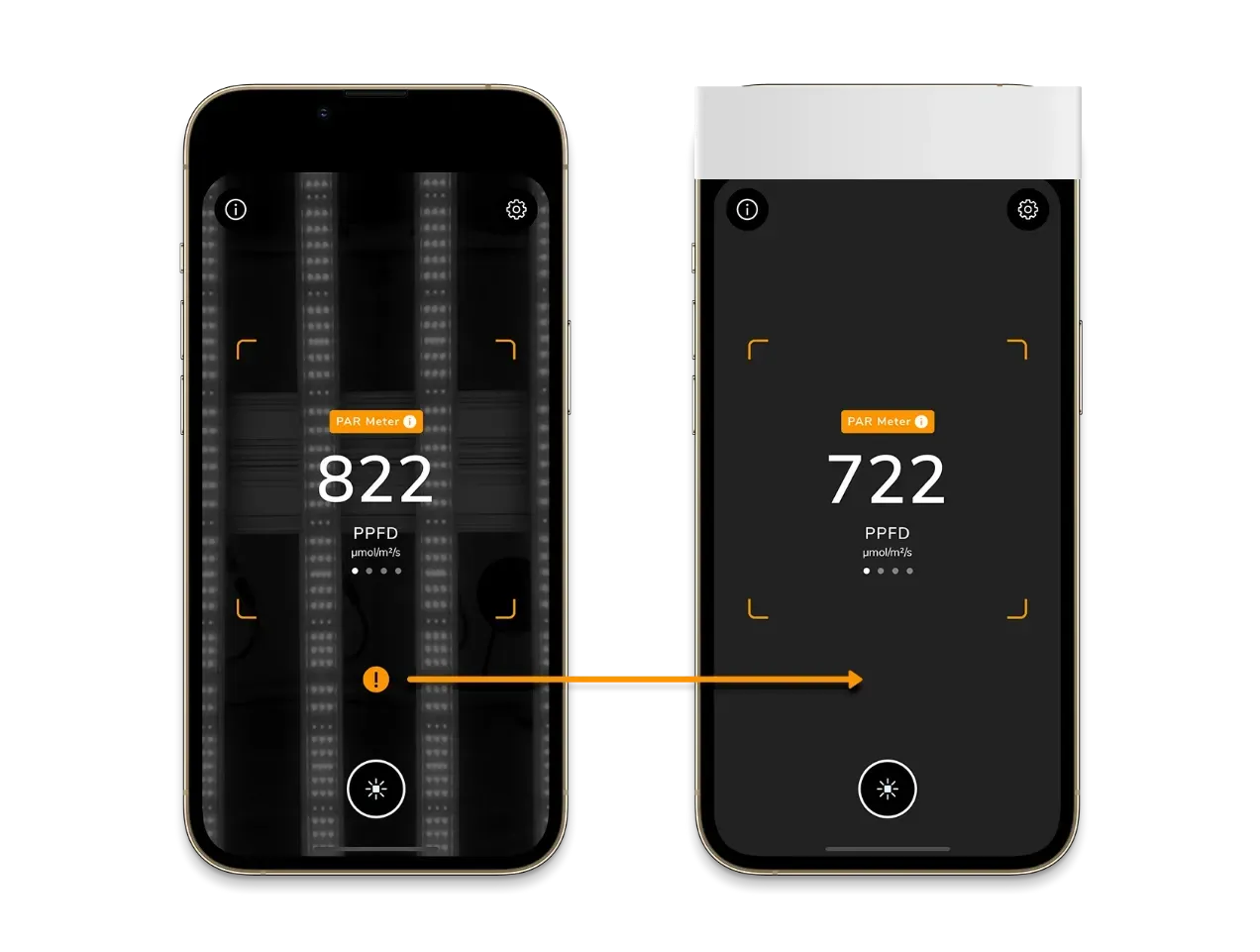
Hint: In rare cases (for example when measuring certain flickering or non-standard LED lights), automatic detection may fail and the (!)-warning won't hide. If this happens, you can disable diffuser auto-detection in the app settings at the very bottom.