Auto-Translate
Being copied is a compliment! Photone was the first app ever to measure PAR on a phone. Today, several apps show a PPFD value and claim to measure PAR. The fact that we're lumped together with copycat apps is an issue we'd like to address … using numbers rather than adjectives.
Same Unit, Different Instruments
If you put two phones under the same lamp, one running Photone and one running another PPFD app, both show a number in µmol/m²/s. Same unit, same look, and both readings react when you move the lamp. From the outside, they look like the same kind of tool.
However, they are not! Let's explore the difference.
How a Phone Arrives at a PPFD Value
Every phone has a tiny built-in sensor called an ambient light sensor (ALS), whose main job is to dim the screen at night and brighten it in the sun. On Android, apps can simply read the sensor's value. This value can then be multiplied by a factor for the lamp type and presented as PPFD. And this is exactly what PPFD meter apps on Android do.
All except for Photone.
Photone is fundamentally different. It uses the front camera as the sensor and evaluates the camera's raw pixel data. Every supported phone model is measured and calibrated against NIST-traceable reference equipment, so the same light can be measured consistently across different phone models.
Photone's measurement engine is also designed for PAR. It measures photons across the entire PAR range from 400 to 700 nm rather than relying on the human eye's sensitivity curve like a lux meter does. It uses the light-source setting just to correct the remaining spectral mismatch.
One approach borrows a sensor built for a different job. The other turns the camera into a light meter. Both end up with "PPFD" on the screen.
Next to a $2000 PAR Meter
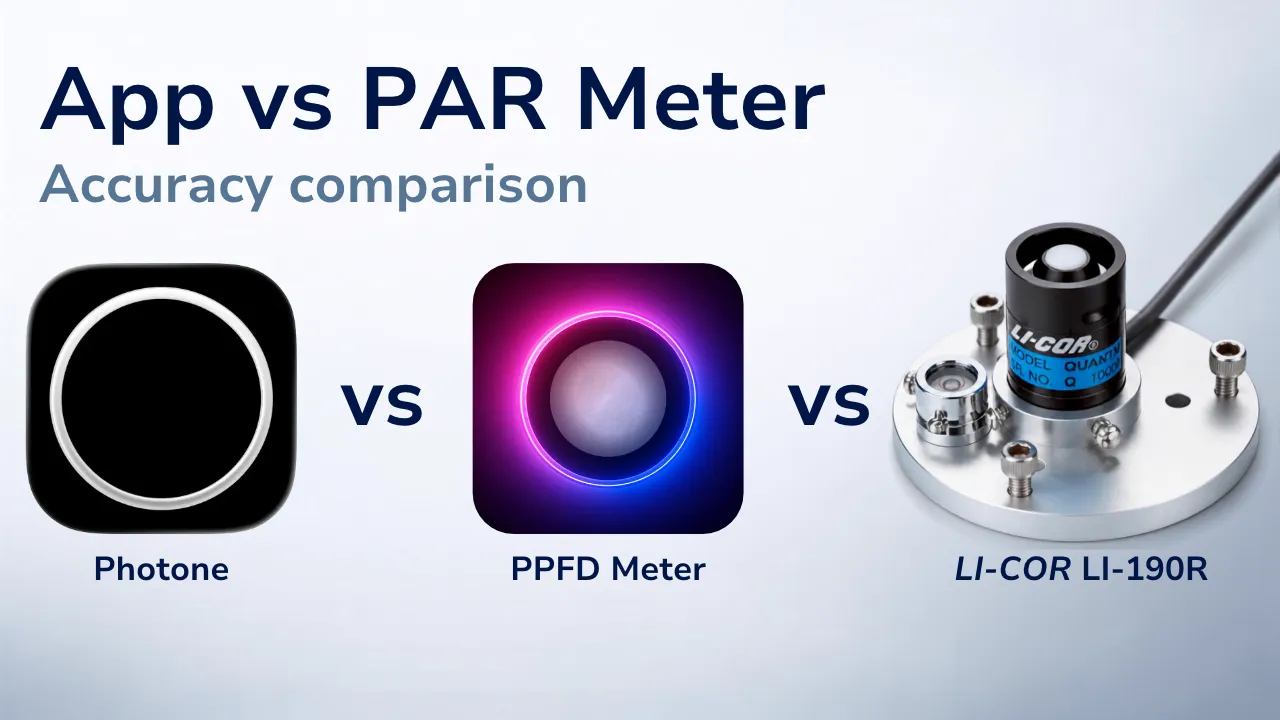
To show what that difference looks like, we compared PPFD Meter and Photone next to a LI-COR LI-190R quantum sensor: a $2000 professional PAR meter.
To compare the apps, we used phones from the latest generation of Samsung Galaxy models.
Test Setup
- Photone: version 1.5.0, with the Diffuser & Cosine Corrector accessory, light source set to "LED full spectrum"
- PPFD Meter: version 12.05, light source set to "LED 3000K"
- Reference: LI-COR LI-190R quantum sensor
- Light source: Samsung LM-301H LED, 3000 K
- Smartphones: 2× Galaxy S26 Ultra, Galaxy S26+, Galaxy S26, Galaxy S23 FE
Results
Summary
- Large errors in the PPFD Meter app
We saw errors ranging from -11% to +24%, with one reading showing up to +90% error. In the largest case, the app showed almost twice the reference value. - The PPFD Meter app shows a different number on every phone, even with the same settings
This is the finding that matters most: a reading from that app can't be reliably compared with the same app on your friend's phone, let alone with a real meter or a lamp's spec sheet. - The price of the phone doesn't guarantee accuracy
The S26 Ultra is one of the most expensive phones on the market, and yet the PPFD Meter app showed the largest error on it. - Photone's readings remained within ±2% across the tested devices and compared to the reference
That's not luck. It's what calibration per phone model is for.
PPFD Meter: Same Light, Different Reading
Accuracy is one thing. Repeatability is another.
A repeatable meter should give you essentially the same reading when you measure the same light under the same conditions. If nothing has changed, the number shouldn't suddenly change.
The first test showed that PPFD Meter can give you the wrong number. So we wanted to answer a different question:
What happens if absolutely nothing changes?
We fixed a flashlight in place and pointed it at a Pixel 9 running PPFD Meter and an iPhone 12 running Photone. We then repeatedly blocked and uncovered the light without moving the phone, flashlight, or anything else.
The result is pretty striking.
With the exact same light in the exact same position, PPFD Meter produced readings between 18 and 43 µmol/m²/s.
That's a 2.4× difference between the lowest and highest reading. In other words, the app could show more than twice as much PPFD without anything about the light changing.
Photone, on the other hand, consistently returned essentially the same reading.
This matters because a light meter isn't only supposed to give you a number. It needs to give you a number that you can compare.
If you move a grow light, change its dimming level, or compare two spots on a shelf, you need to know that a change in the reading actually comes from a change in the light — not from the measurement itself.
The first test showed that PPFD Meter's absolute numbers can be far from the reference. This test shows something different: even its relative numbers can change when the light hasn't changed at all.
Why Apps Like PPFD Meter Are Inaccurate
How can the PPFD Meter app yield measurement values that are 90% off, and a different value every time the light comes back?
Well, this is not necessarily because it was programmed badly. In fact, it seems as if the factors it applies to transform the ambient light sensor's (ALS) lux value into PPFD are carefully chosen.
The actual problem is fundamental: ALSs are built into phones to regulate display brightness — not to measure light. We have an entire article that explains why ALSs are bad light meters.
The short version is this: you can't take a value from a sensor that isn't calibrated for light measurement, may not even actually measure lux despite reporting a "lux" value, apply a conversion factor established for a single device, and expect the result to work reliably across different phones.
If the method is the problem, other apps using it should fail too.
Well, they do.
We ran another test using the app LuxMaster - Light Meter, which also claims to measure PPFD. This app was off by 500 to 600%, even though we used the correct setting for the light source being measured → Watch the full video on YouTube
Beyond This Test
You may even find that PPFD Meter gives you a reading that's very close to your PAR meter. That's entirely possible. Depending on the light source, intensity, angle, and phone, the errors can sometimes happen to cancel out. The problem is that you can't know when that happens — or when they don't.
This comparison is just a short demonstration of the issue. A truly comprehensive test would require many more measurements under different conditions and take significant time. We'd rather spend that time improving Photone and continuing to build the best PAR meter app we can.
But if you'd like to see a more exhaustive comparison, let us know in the YouTube comments. If there is enough interest, we might just do it.
At the end of the day, putting "PPFD" on the screen is easy. Building a reliable PAR meter is a very different challenge.
That's why we don't want to compete on who can display the most convincing number. We want to make sure the number actually means something.
Because an app showing a PPFD number doesn't make it a PAR meter.